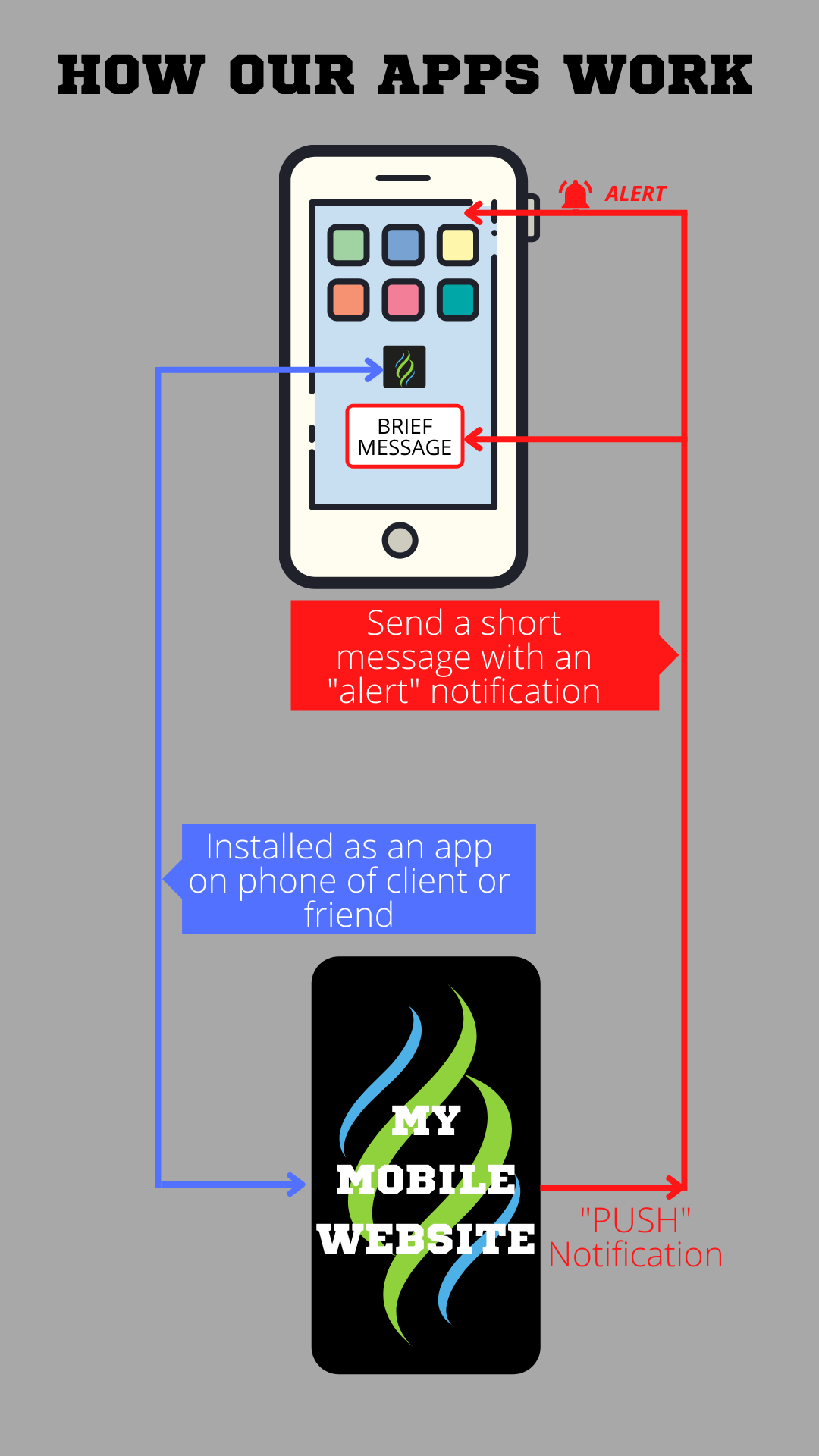
This app uses a new web technology that allows the app owner (me) to contact app users (you) in a way that emails and texts can't.
- It is built as a "mobile friendly" website and can employ familiar features that you would find in today's websites and apps.
- It installs an icon on a user's cellphone, just like any other app.
- It asks for permission to send brief important messages along with an "alert" notification.
Who Needs An App Like This
They're great, but not for everyone.
Why not everyone? Mainly because this is a website, and not everyone wants or needs a website. That's what social media is used for.
On the other hand, a website is necessary if you want to build a store, collect contact information for prospective clients, book appointments, control content (think about videos hosted on YouTube that take viewers away to places you don't want them to go), or simply have your own web address that's not social media.
A HUGE PLUS for this particular website/app technology is the ability to send immediate messages to everyone who has your app on their phone.
Here are a few business examples.
- A business offers a "winter special" to you (a current customer) and any new customers you refer.
- It's a slow afternoon at the local pub, so they offer a free "share it" appetizer today if you bring a friend.
- For the next three days a pet groomer is offering 10% discount and a free bag of treats for every full service grooming.
- A coffee shop will give 30% discount on any one pastry item if you tell them the "secret word" for the day, that they just sent.
- An animal shelter posts weekly updates of their latest adorable residents that need a forever home.
- A vendor sends a note about the farmer's market, street fair, or pop-up where they will be this coming weekend.
- A farmer's market sends a note about new vendors that will be available this weekend, or special entertainment that will be there.
- An artist reminds clients about a new art piece that's available or limited edition prints.
You don't have to be a business to use this technology.
- A private school uses push notifications to announce schedule changes, like teacher service days, snow days or air conditioning failure.
- The same private school sends reminders about teacher conferences, field trips, or student events.
- A cycling club sends reminders of scheduled events and registration deadlines.
- A local band sends a reminder about an upcoming gig and a "secret word" that can be used at the club for a special discount or freebie.
- A food bank sends a note about a particularly large amount of fresh produce that will be available.
Individuals can use apps, too.
- Baby is on the way so parents post a QR at work or at church and use an app to announce the baby shower and link to a gift registry.
- Same idea applies for a wedding announcement and shower.
- An Olympian uses an app to let people know where the next tryout event will be and how friends can attend.
- Family uses an app to build momentum for grandparent's big anniversary / birthday celebration.
- "Julie" has experienced a terrible accident and will be in hospital and rehab facility for weeks. She longs for visitors, but the rules are only so many per day. Family/friends use an app to manage appointments and push notifications for periodic progress updates.
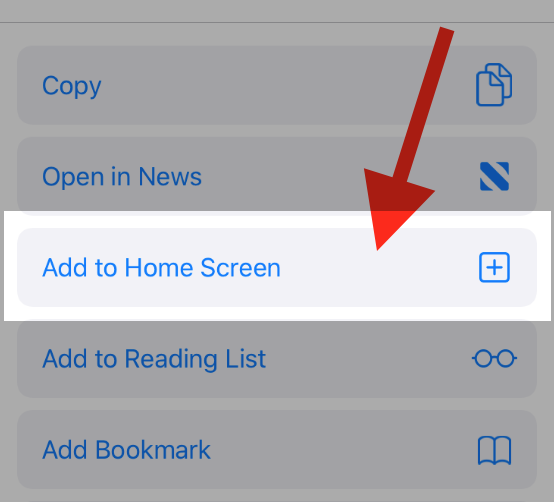
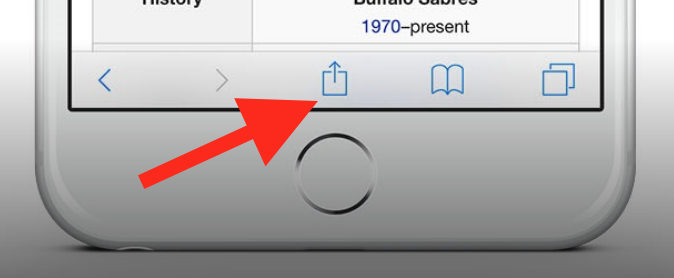
To add this web app to your homescreen, click on the "Share" icon
![]()
Then click on "Add to Home"

To add this web app to your homescreen, click on the "Share" icon
![]()
Then click on "Add to Home"

It looks like your browser doesn't natively support "Add To Homescreen", or you have disabled it (or maybe you have already added this web app to your applications?)
In any case, please check your browser options and information, thanks!

It looks like your browser doesn't natively support "Add To Homescreen", or you have disabled it (or maybe you have already added this web app to your applications?)
In any case, please check your browser options and information, thanks!